
Sensorimotor joint stability exercises play an important role in keeping joints healthy and resilient, especially when recovering from injury or looking to keep active. Virtual reality (VR) technology now adds a new layer to these exercises, giving us fresh ways to train balance, strength, and body awareness. I’ve found that putting VR to work for joint stability can make exercises more engaging, provide real-time feedback, and help with tracking progress. In this article, I’ll explain how VR adds value, the types of sensorimotor joint exercises you can try, what to know before getting started, and touch on some common questions.
Introduction to Sensorimotor Joint Stability and VR Technology
Sensorimotor joint stability is about how well your body’s senses, muscles, and joints work together to keep you balanced and steady. Classic exercises like balancing on one leg or reacting to a wobble board help train these systems. Before VR became available, joint stability routines relied on physical tools and hands-on coaching. Now, with VR headsets and interactive platforms, the options feel endless, and a lot more interesting.
VR technology creates virtual environments where you can practice movements and track how your body responds, all while staying safe. I’ve watched athletes, rehab patients, and fitness fans pick up VR-based routines and show steady improvement. This is possible because VR can challenge the body in different ways, make it fun with game-like tasks, and adjust the level of difficulty to suit your needs. With interactive environments and instant feedback, VR workouts can guide users through step-by-step progressions and make learning new movement patterns both fun and efficient.
Getting Started with VR-Based Joint Stability Exercises
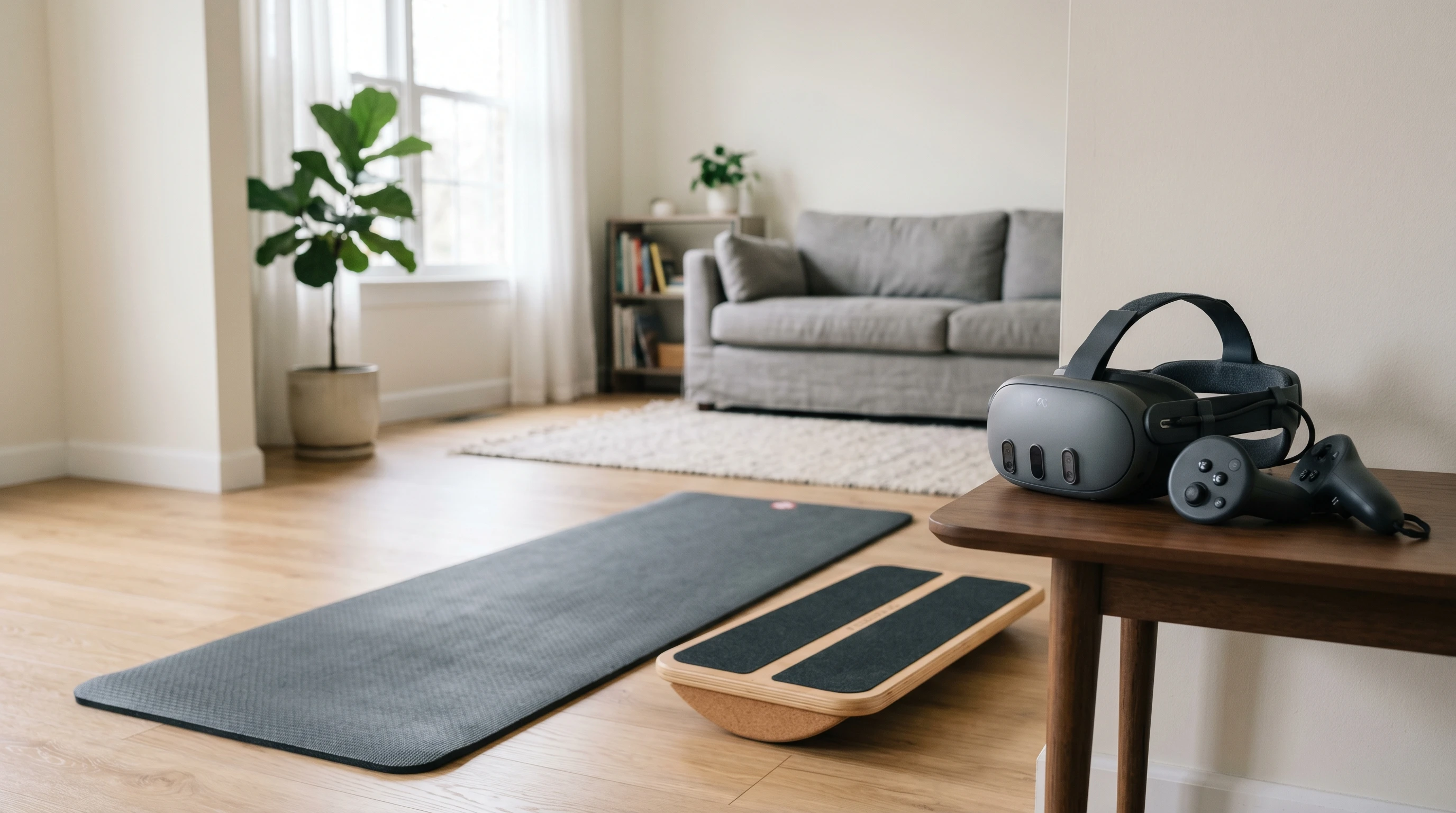
Stepping into sensorimotor training with VR takes a bit of setup, but just about anyone can benefit. Most systems involve a headset and trackers for hands or feet. Some setups tap into pressure mats or balance boards that pair with the app or game.
When getting started with VR for joint stability, I make sure the workout area is clear, and I check that the equipment fits well and feels comfortable. Choosing programs designed for rehabilitation or fitness is a great first step, since they focus on balance, movement accuracy, and reaction time.
Here are a few key terms you might see:
- Haptic Feedback: Gentle vibrations or resistances you feel, helping simulate real-world movements.
- Motion Tracking: Sensors to track your leg, arm, or core movement, giving you instant feedback inside the virtual world.
- Progress Analytics: Data recorded by the VR system, often showing balance scores, response speeds, and how accurate your movements are.
VR programs often include tutorials or guided warmups, making it easy to get started at your own pace. As you become familiar with the basics, you can explore more challenging tasks that mirror activities from sports or everyday scenarios.
Step-By-Step Guide: How to Use VR for Sensorimotor Joint Stability
VR sensorimotor training works best when you follow a process that builds your skills safely. Here are some steps I recommend from personal experience and research:
- Set Up a Safe Area: Clear at least 6 feet by 6 feet, removing obstacles that could trip you up.
- Select the Right Program: Look for VR applications designed for joint stability, physical therapy, or balance training.
- Start Simple: Begin with basic movements such as stepping side to side or shifting weight on one foot guided by VR cues.
- Follow Instructions and Feedback: Many programs give instant feedback, letting you know if your posture or movement needs work. Pay attention and adjust as needed.
- Gradually Increase the Challenge: Work up to more complex exercises, like catching virtual objects or balancing on one foot while reaching for items that pop up in your path.
I’ve noticed that sticking to these steps not only helps prevent injury but also keeps workouts interesting and encourages gradual improvement. Plus, using VR often boosts motivation, so many people stick to their routines longer than with traditional exercises.
Considerations Before Using VR-Based Joint Stability Exercises
VR sensorimotor routines offer a helpful new way to train, but they also come with their own set of things to keep in mind before getting started. Here are some factors that have made a difference for me and people I’ve trained with:
- Comfort and Fit: Pay attention to how the VR headset feels. Long sessions can be uncomfortable if straps are too tight or the headset feels heavy.
- Calibration: Accurate sensor calibration helps make sure that your real-world movements line up well with what you see in the VR world.
- Motion Sickness: Some people feel dizzy during virtual movement. Taking breaks and limiting session lengths can help minimize this.
- Physical Safety: Even with virtual cues, you’re still moving in your real environment. Making sure your space is clear is crucial for avoiding bumps or falls.
- Level of Progression: Choose exercises that match your abilities and move up to tougher challenges at a pace that feels right.
Dealing with Physical Discomfort
Using a VR headset for joint training means standing, moving, and sometimes wearing the device longer than expected. I like to take breaks every 15–20 minutes, especially when still adjusting to the VR experience. Using padded face cushions or aftermarket comfort accessories can make a big difference for longer sessions.
Addressing Motion Sickness
If you start feeling dizzy or nauseous, pause immediately. Many people get used to the sensation over time, especially with short, gentle sessions. Some VR apps also offer “comfort settings” that slow down sudden movements or dim certain visual elements, making the virtual exercises easier on your senses and helping you stick with your training over the long run.
Advanced Tips and Suggestions for Effective Use
Once you’re familiar with VR sensorimotor exercises, you can add more variety and challenge to continue progressing. Based on my own training and what I’ve seen in physical therapy clinics, here are some ideas that work well:
Mix Up the Exercises: Combine movements like reaching, stepping, and balancing on different surfaces. Many VR programs offer customization, letting you adjust the routine and keep things fresh.
React to Unpredictable Cues: Some apps include random events, such as sudden moving targets or surprise obstacles. Reacting to unpredictable cues helps simulate real-life situations, which translates into better stability in daily life.
Use Analytics to Track Progress: Take advantage of performance data logged by your VR software. Reviewing stats about balance, reaction time, or accuracy can keep you motivated and help you tweak your routine for best results.
Work With a Trainer or Therapist: If you have a history of joint trouble or a medical condition, team up with a health professional when you’re starting out. Feedback from a trainer, even over video or telehealth, can help fine-tune your technique and ensure you’re using the right programs for your situation.
Bringing friends or family members into VR training sessions can also make the experience more enjoyable and supportive, especially for younger users or seniors who may appreciate extra motivation and encouragement.
Types of VR Joint Stability Exercises to Try
VR isn’t just about games; it offers targeted exercises for sensorimotor control that suit all skill levels. Here are a few popular examples you’ll find in most leading VR fitness and rehab applications:
- Single Leg Balance: Stand on one foot and adjust to virtual surfaces that tilt, wobble, or move, challenging your body’s stability response.
- Reactive Step Training: Respond as quickly as possible to moving lights or objects by stepping in multiple directions, building speed and steadiness.
- Virtual Catch and Reach: Reach for or catch virtual items at changing heights and angles, engaging both upper and lower body and improving coordination.
- Obstacle Avoidance: Move through courses full of unpredictable hurdles. Dodging and stepping over simulated barriers helps prepare you for real-world situations, such as walking on rough terrain or navigating crowded spaces.
- Duel Challenges: Compete with friends or other users online, adding a social dynamic that can make training more enjoyable and boost your motivation.
Frequently Asked Questions
People often have questions about using VR for joint stability. Here are a few I’ve answered based on what I’ve seen and experienced:
Question: Can anybody use VR-based joint stability exercises?
Answer: Most people can give these exercises a try, but individuals with severe balance problems, certain neurological conditions, or who are recovering from major surgeries should consult their doctor first.
Question: Do VR exercises work better than classic balance training?
Answer: VR-based routines are often more engaging, and the feedback can help jumpstart improvements. Some studies show equal or better progress with VR, especially in terms of motivation and staying consistent, but traditional routines remain valuable and may suit some people’s preferences better.
Question: How expensive is VR equipment for home use?
Answer: The price of VR setups varies from a few hundred to over a thousand dollars, depending on the features you want. Some require a computer or gaming console, while others are completely wireless and standalone. There are also affordable options—just check that your intended apps offer the joint stability and rehab routines you want before you buy.
Common Real-World Applications
In rehab clinics, sports programs, and at home, VR sensorimotor exercises deliver tangible benefits. For example, I’ve seen people recovering from knee injuries regain confidence by practicing balance in a simulated park before heading outdoors. Athletes use VR obstacle courses to get ready for quick changes in movement during matches. Seniors and adults who want to keep moving find that the interactive, game-inspired challenges help them stick with their routines, making exercise something to look forward to each week.
- Sports Training: Athletes work on joint stability to help prevent sprains and falls during rapid movements.
- Rehabilitation: People recovering from surgery or injury benefit from safe, guided control training and instant feedback.
- Everyday Fitness: Anyone seeking stronger, more dependable joints can find VR routines fit for all skill levels and ages.
Trying out VR for sensorimotor joint stability pairs modern tech with natural movement in a way that’s motivating and effective. I find that enjoying your workouts goes a long way toward building lifelong healthy habits, and VR delivers this by mixing in challenges, novelty, and a real sense of progress every session. Bottom line: with the right approach, VR can help you step up your joint stability and keep you moving steadily, no matter your age or fitness background.